SSH Tunnel zwecks öffentlicher IP v4 Adresse
Über diesen Tunnel kann man bei einem DS-Lite Anschluss mit öffentlicher IP v6 Adresse erreichen, eine öffentliche IP v4 Adresse über einen anzumietenden Server im Internet zu nutzen. Welche Ports genutzt werden, legt man bei der Einrichtung fest.
Einrichtung eines SSH Tunnels
GPN19 - Einen Server daheim ohne öffentliche IPv4 Adresse
##### Test Apache, local works, remote does not, no tunnel yet.
http://localhost:7324/apollo.jpg
http://remote-server.gpn-demo.de:8080/apollo.jpg


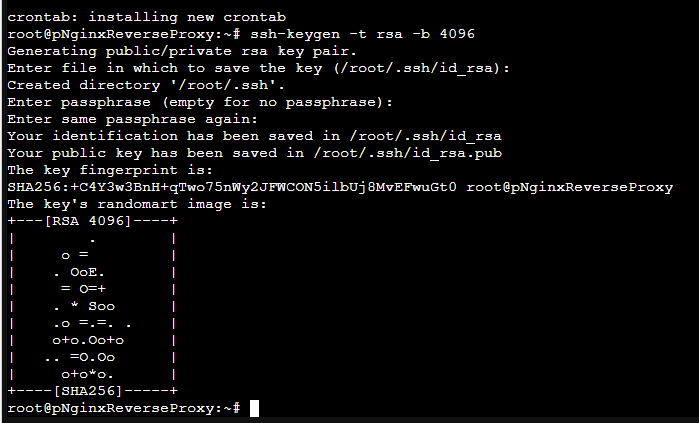
#home-srv: Generate ssh keys for normal user.
#These are used to authenticate on the remote server
#
ssh-keygen -t rsa -b 4096


#home-srv: Display ssh public key and copy it
#
cat ~/.ssh/id_rsa.pub


#remote-srv: Put public key into root account's
#'authorized_keys'
#
sudo nano /root/.ssh/authorized_keys


#remote-srv: Configure SSH daemon to:
# - allow tunnel ports to be used by incoming requests
#   from the Internet (Gateway)
# - timeouts for stale connections

sudo nano /etc/ssh/sshd_config

GatewayPorts yes
ClientAliveInterval 60
ClientAliveCountMax=2

sudo service sshd restart

#remote-server: Open second shell and show open tcp ports
#
watch -n 0.5 "netstat -tulpn"


#home-server: Test establishment of tunnel from
#home-srv (local) port 7324 to remote-srv 8080. First time
#around, fingerprint needs to be confirmed!
#
ssh -p 39122 -N -R 8080:localhost:7324 root@remote-server.gpn-demo.de

##### Test Apache, local works and remote works too now!

#CTRL-C ssh command

##### Test Apache, local works, remote does NOT work because tunnel is gone!

#home-server: Once working, use same command with '-f' option to put to the background
#
autossh -M 0 -f -o ConnectTimeout=10 -o ServerAliveInterval=60 -o ServerAliveCountMax=2 \
-p 39122 -N -R 8080:localhost:7324 root@remote-server.gpn-demo.de


#Simulate ERROR scenario - kill ssh connection on remote side
#remote-server: Terminate process that handles port
#8080 (see pid in 'watch')
#
kill XXXX

##### Test Apache, local works, remote still works!

###### Finally

#home-server: Run autossh command on startup
#
crontab -e

### IMPORTANT: make this ONE line, crontab doesn't
### like the backslash!
@reboot autossh -M 0 -f -o ConnectTimeout=10 -o ServerAliveInterval=60 -P 39122 -N -R 80:192.168.0.xxx:80 -R 443:192.168.0.xxx:443 root@217.160.175.171

DONE!!!