Einrichtung eines SSH Tunnels
##### Test Apache, local works, remote does not, no tunnel yet.
http://localhost:7324/apollo.jpg
http://remote-server.gpn-demo.de:8080/apollo.jpg


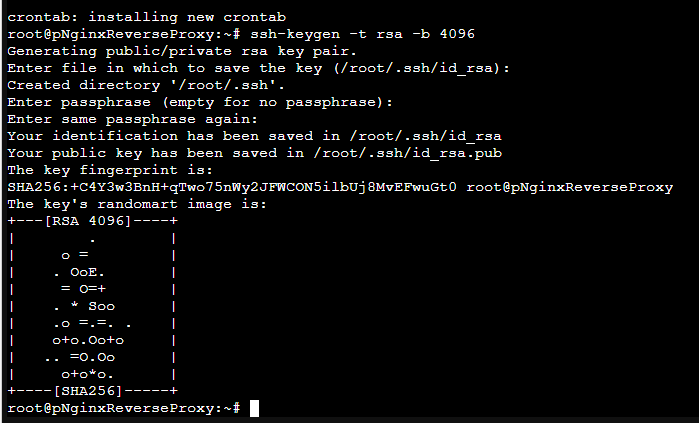
#home-srv: Generate ssh keys for normal user.
#These are used to authenticate on the remote server
#
ssh-keygen -t rsa -b 4096


#home-srv: Display ssh public key and copy it
#
cat ~/.ssh/id_rsa.pub


#remote-srv: Put public key into root account's
#'authorized_keys'
#
sudo nano /root/.ssh/authorized_keys


#remote-srv: Configure SSH daemon to:
# - allow tunnel ports to be used by incoming requests
#   from the Internet (Gateway)
# - timeouts for stale connections

sudo nano /etc/ssh/sshd_config

GatewayPorts yes
ClientAliveInterval 60
ClientAliveCountMax=2

sudo service sshd restart

#remote-server: Open second shell and show open tcp ports
#
watch -n 0.5 "netstat -tulpn"


#home-server: Test establishment of tunnel from
#home-srv (local) port 7324 to remote-srv 8080. First time
#around, fingerprint needs to be confirmed!
#
ssh -p 39122 -N -R 8080:localhost:7324 root@remote-server.gpn-demo.de

##### Test Apache, local works and remote works too now!

#CTRL-C ssh command

##### Test Apache, local works, remote does NOT work because tunnel is gone!

#home-server: Once working, use same command with '-f' option to put to the background
#
autossh -M 0 -f -o ConnectTimeout=10 -o ServerAliveInterval=60 -o ServerAliveCountMax=2 \
-p 39122 -N -R 8080:localhost:7324 root@remote-server.gpn-demo.de


#Simulate ERROR scenario - kill ssh connection on remote side
#remote-server: Terminate process that handles port
#8080 (see pid in 'watch')
#
kill XXXX

##### Test Apache, local works, remote still works!

###### Finally

#home-server: Run autossh command on startup
#
crontab -e

### IMPORTANT: make this ONE line, crontab doesn't
### like the backslash!
@reboot autossh -M 0 -f -o ConnectTimeout=10 -o ServerAliveInterval=60 -P 39122 -N -R 80:192.168.0.xxx:80 -R 443:192.168.0.xxx:443 root@217.160.175.171

DONE!!!

No Comments